
Materials & Suppliers
Smart Home Features Worth Building Into a Basement
By Josh Wallace · March 24, 2026
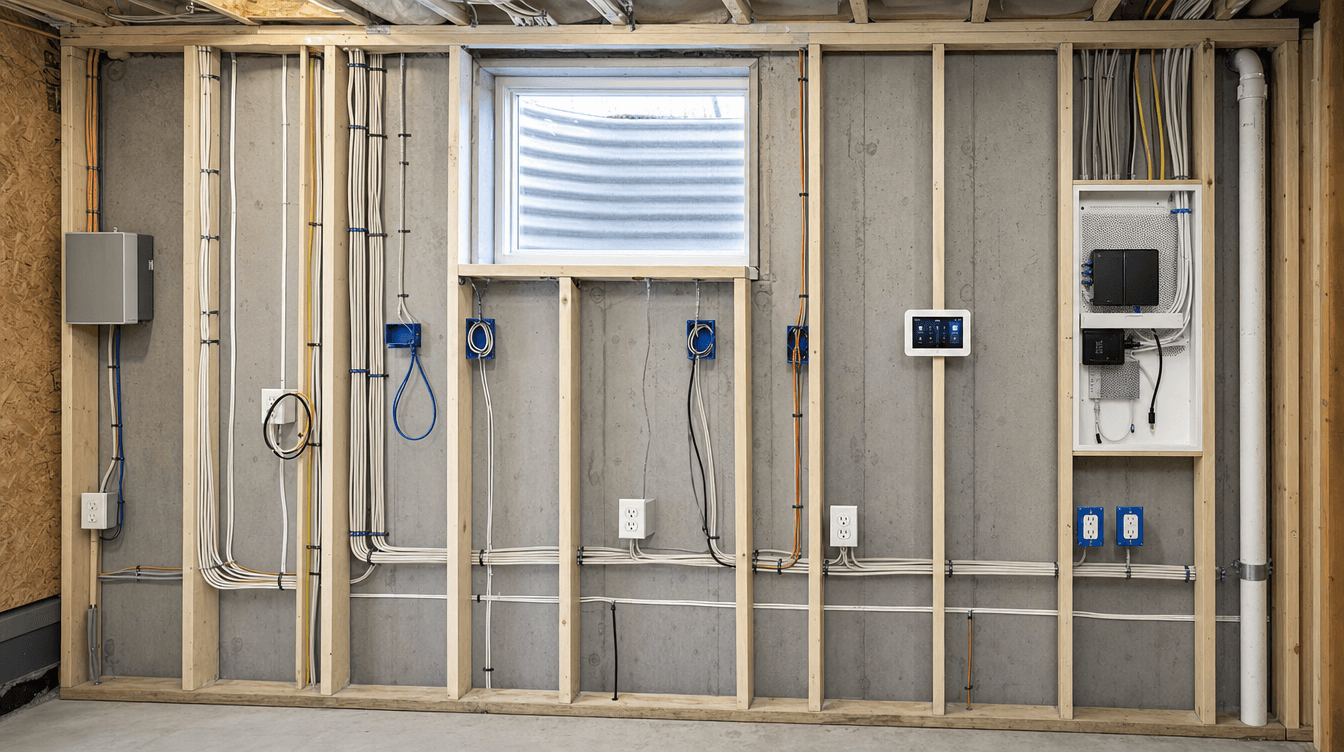
The smart home features worth building into a basement — the wiring and infrastructure that's cheap to add during the build and expensive to retrofit later.
The smartest approach to a smart-home basement isn't about buying gadgets — it's about building in the wiring and infrastructure now, because the devices are cheap and easy to add later while the wiring behind the walls is the expensive part, and walls are open only once. Even if you're not a tech person, roughing in the infrastructure protects your options. Here's what's worth building in. (This is general guidance; the right setup is planned for your basement during design.)
Hard-wired internet — the top priority
Wi-Fi struggles at basement distance from the router, so a wired network connection is the single most valuable thing to run:
- Great for a [home office](/blog/basement-home-office), a home theatre, or a rental suite.
- Run while the walls are open — network cable to the key spots costs almost nothing during the build and is a real pain to add afterward.
If you do only one thing, run the network cable.
Smart lighting and switches
Lighting is an easy, high-impact smart upgrade when planned into the electrical rough-in:
- Dimmers and lighting scenes for a rec room or theatre.
- Motion sensing in stairwells, storage, and bathrooms.
- The boxes and wiring go in now, so you can add smart switches whenever you like.
Structured wiring for media
For a media room or theatre, plan the structured wiring up front:
- In-wall speaker wiring for clean, hidden sound.
- A dedicated spot for equipment and the runs to reach it.
- HDMI and low-voltage runs to the screen and seating.
Fishing these through finished walls later is exactly the headache we avoid by planning it during the build.
The practical safety smart features
Some of the best "smart" additions in a basement are quietly practical:
- Smart smoke and CO [alarms](/blog/basement-smoke-co-alarms) for better monitoring.
- A smart thermostat for the basement zone, tied to proper heating.
- A leak sensor near the mechanical room or sump — cheap insurance against water in a basement.
The theme: run the wires while it's easy
The whole philosophy is simple: run the wires while the walls are open. You don't have to buy every device today — you just don't want to seal the walls without the infrastructure, because that's what turns a cheap upgrade into an expensive retrofit. We rough in the smart-home infrastructure as part of a full basement development, so your options stay open for years.
What smart home features should you build into a basement?
The infrastructure that's costly to add later: hard-wired internet (the top priority), wiring and boxes for smart lighting and switches, structured wiring for a media room (speakers, HDMI, equipment location), and practical safety features like smart smoke/CO alarms, a smart thermostat, and a leak sensor near the mechanical room. Run the wires while the walls are open.
Should I wire my basement for internet during a renovation?
Yes — it's one of the most worthwhile things to do. Wi-Fi weakens at basement distance from the router, so a wired network connection is invaluable for a home office, theatre, or rental suite. Running network cable while the walls are open costs very little; adding it to a finished basement is a real pain, so do it during the build.
Is it worth adding smart features to a basement?
The devices are optional and easy to add anytime, but the wiring behind the walls is worth building in during construction because walls are open only once. Roughing in network cable, smart-switch wiring, and media runs is cheap now and expensive to retrofit later — so even if you're not a tech person, the infrastructure protects your future options.